Video Conference Icons Set: A Practical Resource for Modern Design Projects
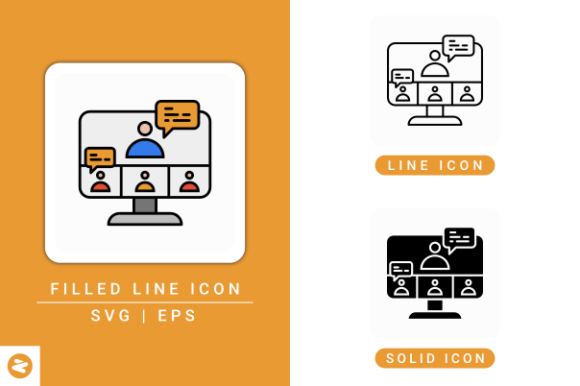
The Video Conference Icons Set offers a comprehensive collection of visual elements tailored for applications centered around online communication. Designed with flexibility and usability in mind, this icon set supports a wide range of digital projects, from mobile apps and web interfaces to infographics and UI design. Its inclusion of multiple file formats—Filled Line Icon SVG EPS, Line Icon SVG EPS, and Solid Icon SVG EPS—makes it a versatile choice for professionals seeking consistent, high-quality visual assets.
Key Features and Design Characteristics
This icon set is built around a clean, modern aesthetic that aligns well with contemporary design trends. The icons are crafted in a solid line style, ensuring clarity and readability across various screen sizes and resolutions. Each icon is fully editable, allowing designers to adjust stroke widths, colors, and other visual properties to match specific branding or interface requirements.
The set includes three distinct variations:
- Filled Line Icon SVG EPS File – Ideal for bold, attention-grabbing visuals where solid shapes enhance recognition.
- Line Icon SVG EPS File – Offers a minimalist approach with thin strokes, suitable for sleek, modern interfaces.
- Solid Icon SVG EPS File – Provides a more robust visual presence, useful for high-contrast environments or accessibility-focused designs.
Usability Across Design Platforms
One of the standout benefits of the Video Conference Icons Set is its compatibility with major design software. Whether you're using Adobe Illustrator for detailed vector editing, Inkscape for open-source design work, Affinity Designer for professional-grade illustrations, or Gravit Designer for cloud-based collaboration, this set integrates seamlessly. This cross-platform support ensures that users can maintain workflow continuity without being locked into a specific toolset.
For web developers and UI designers, the SVG format ensures scalability without loss of quality, making these icons suitable for both desktop and mobile interfaces. The EPS files further extend usability into print and large-format design, broadening the scope of potential applications.
Practical Applications and Audience Fit
This icon set serves a wide audience, including web designers, UX/UI professionals, app developers, educators, and remote collaboration tool creators. It's particularly useful in environments where visual clarity and intuitive navigation are essential. For instance, a mobile app developer building a video conferencing platform can leverage these icons to represent functions like mute, screen share, camera toggle, and participant list with consistent visual language.
Content creators and marketers working on infographics or presentation materials related to digital communication can benefit from the set’s clean, professional look. The isolated background ensures that icons can be easily layered over different color schemes or design elements without requiring additional editing.
Educators and training professionals developing e-learning platforms or virtual classroom tools will find the icons especially helpful in guiding users through digital interaction features. The set’s variety allows for both functional and decorative uses, supporting a cohesive visual identity across platforms.
Quality and Consistency in Design
A key strength of this icon set lies in its consistency. All icons maintain a uniform stroke weight, visual style, and spatial balance, which is crucial when building a professional interface. This uniformity contributes to a polished, cohesive user experience—something that can be difficult to achieve when mixing and matching icons from different sources.
The icons are also crafted with scalability in mind. Since they are vector-based, they retain sharpness and clarity at any size, from small mobile buttons to large banners. This adaptability ensures that the icons perform reliably across different design contexts without requiring multiple versions or rasterized assets.
Real-World Performance and Flexibility
In practical use, the Video Conference Icons Set holds up well under different design demands. For example, a freelance UI designer working on a startup’s video conferencing app can quickly integrate these icons into their design system, confident in their clarity and adaptability. Similarly, a content creator building a guide on remote communication tools can use these icons to visually represent different platforms and features in an infographic.
The ability to edit stroke styles and colors makes this set especially valuable for brands with specific visual guidelines. Whether a designer needs to match a corporate color palette or adjust icon thickness for a responsive layout, the flexibility of the SVG and EPS formats supports a high degree of customization.
Potential Limitations and Considerations
While the Video Conference Icons Set offers a broad range of functionality, it may not be the best fit for every project. Users seeking highly stylized or illustrative icons—such as those with gradients, shadows, or complex textures—may find the solid line style too minimal. Additionally, while the set covers core video conferencing functions, it may not include niche or highly specialized icons required for certain platforms.
Designers working on internationalized platforms should also consider whether the visual metaphors used in the icons are universally understood. While the set adheres to common design conventions, some icons may require contextual labeling or localized adjustments depending on the target audience.
Final Thoughts and Recommendations
For professionals working in digital design, user interface development, or content creation related to online communication, the Video Conference Icons Set offers a reliable, high-quality resource. Its combination of clean design, format flexibility, and broad software compatibility makes it a strong candidate for both short-term projects and long-term design systems.
If you're building a web or mobile application centered around video conferencing, creating educational materials about remote collaboration, or designing a UI that requires scalable, editable icons, this set is worth considering. After downloading, be sure to extract the files and explore the different versions to determine which format best suits your specific needs.